LG TV Remote Control app
FutureAppsTechnologyHouse & Home
3.516.00 Reviews
- Version
- 1.3.7
- Installs
- 100.00K
- Age Rating
- Everyone
Screenshots
Our Review of LG TV Remote Control app
 Analysis by Appyee
I find a phone remote most useful when the regular one has vanished between the cushions, but the key question is whether it can take over smoothly enough to be more than a backup. LG TV Remote Control is a free House & Home app from FutureAppsTechnology, and its purpose is simple: use a phone to manage an LG TV and other infrared devices. The idea is appealing, though the experience depends on how your devices are connected and what kind of control you expect.
From the missing remote to the next episode
I like to begin with a small test rather than assume a phone can replace the remote straight away: check that the TV and phone can see each other, then try a basic control while you’re still near the set. That gives you a practical answer before anyone is waiting to watch. From there, the useful question is how the app fits into your household’s routine and where another control method may be simpler.
Before you reach for your phone
Picture a familiar evening: the TV is on, everyone has settled in, and the remote is nowhere nearby. With a phone already in hand, an app-based control can save a trip across the room and a search through the sofa. It can also help when the remote’s batteries are flat or when you want a spare control that does not need to be stored in a drawer.
That convenience has a practical boundary. A phone remote is useful only if the app can communicate with the particular TV or device in your setup. The app’s description covers LG TVs and infrared devices, so it is worth thinking about both sides of that promise: a connected television and equipment that relies on infrared are not necessarily controlled in the same way. I would treat it as a convenient option to try, rather than assume it will replace every remote in the house.
It is listed as free, with in-app purchases ranging from $0.99 to $104.99 per item. The presence of purchases is a reason to check what an optional feature costs before buying anything; it does not mean you need to pay just to consider the app. Its Everyone age rating makes it suitable for a general household audience, though a parent may still want to supervise any purchase settings on a shared phone.
Pairing and the first handoff
The original setup instructions describe putting the phone and TV on the same Wi-Fi network and letting the app find the television. That is a sensible first check when a TV does not appear: confirm both are using the same network, then try discovery again. A guest network or other network separation can stop two devices from seeing one another even when both seem to have internet access.
Once a TV is found, the important handoff is from discovery to dependable control. Before settling in, I would test a few basic actions—such as changing volume and navigating a menu—while still near the TV. That quick check is more useful than waiting until you are ready to watch something. If it responds there, you have a better idea whether the phone is a practical backup for that room.
The app is currently version 1.3.0 and requires Android 7.0 or later. Those details matter when deciding whether an older spare phone can serve as a dedicated controller: check the phone’s Android version first, rather than installing the app only to discover that the device is too old. The developer is FutureAppsTechnology, and the app has reached over 100,000 installs. That gives a new user some adoption context, but it does not guarantee that every TV model or home network will behave identically.
Using it without turning the phone into a project
For everyday use, I would keep the phone remote’s job narrow. Open it when the physical remote is missing, use it to make the immediate adjustment, then put the phone back to whatever else you were doing. This is a better fit than expecting one app to reorganize the entire way you watch television. If the app is easy to reach and the controls suit your TV, that small role can still be genuinely helpful.
A useful household workflow is to make sure the person who most often needs the backup knows how to select the right television before guests arrive or a movie starts. In a home with more than one LG TV, switching to the intended set is a small but important step: a volume change sent to the wrong room can be confusing. Test the selection once in a calm moment, and you are less likely to be troubleshooting while other people are waiting.
There is also a sensible distinction between controlling a TV and controlling a viewing service. A remote app may help with television controls, but the streaming app itself still has its own interface and account. I would not choose a phone remote on the assumption that it replaces a streaming service’s phone app, a casting workflow, or every on-screen keyboard. Those are separate tasks, and the best tool depends on which one is slowing you down.
Where it fits beside other remote options
Compared with the physical remote that came with a TV, a phone has one clear advantage: it is often nearby even when the remote is not. The physical remote, on the other hand, is already designed for the television and does not depend on unlocking a phone, opening an app, or switching away from what you were doing. If the original remote is reliable and within reach, it may remain the quickest choice.
Compared with a manufacturer’s own control option or a universal remote, this app is worth considering as a phone-based alternative, especially if you want to avoid buying another piece of hardware. But a dedicated universal remote may be the better answer when one handset needs to control several kinds of equipment through a consistent set of buttons. The app’s stated support for LG TVs and infrared devices is useful, but I would check how it handles the exact devices you care about rather than infer broad compatibility from the word “universal.”
For a shared living room, a physical remote can also be easier for children or visitors to use without borrowing someone’s phone. A phone is personal, may be locked, and can be in another room charging. I see the app as a backup or a convenient personal controller, not automatically the best single control for every person in a household.
What the rating and experience suggest
The app has an average rating of 3.3 from around 436 ratings, alongside 14 written reviews. I would read that as a reason to keep expectations measured: the idea clearly has an audience, but the rating does not suggest a universally smooth experience. It is more useful to try it with your own TV and network than to assume that a positive or negative experience elsewhere will map exactly to your setup.
The most valuable test is not a long session; it is whether the app can reliably complete the few tasks you actually need. Try opening it, selecting the right device, and making a couple of changes. If those steps are consistent, the app may be a good fallback. If you repeatedly need to reconnect or search through device choices, a physical remote or a different control method will likely be less frustrating.
One trade-off to keep in mind is phone availability. Using a phone as a remote is convenient until its battery is low, it is being used for a call, or somebody else needs it. If the television is central to a shared routine, keeping the original remote in a known place is still a sensible backup plan. A phone app can reduce remote hunts, but it does not remove the need for a dependable way to control the TV when the phone is unavailable.
Who should give it a try
I would consider it if you own an LG TV, often have your phone beside you, and want a backup before spending money on replacement hardware. It may also suit someone who is comfortable checking Wi-Fi connections and testing device selection once, rather than expecting setup to be completely invisible. For a spare phone that meets the Android requirement, it could be worth testing as a household controller.
I would skip it as a first choice if you need a guaranteed replacement for a lost remote, have a setup where devices are separated across networks, or want one dedicated controller that works without a phone. If your main goal is to control equipment outside the app’s confirmed scope, check compatibility before relying on it. And if you mainly need to browse a streaming service, its own phone app or the television’s supplied controls may be more direct.
That distinction answers the question I would ask before installing: can it replace the remote entirely? For some people and setups, it may cover the routine controls they use most. I would not count on that until I had tested the TV and any infrared equipment I wanted to manage. The safest expectation is a potentially handy alternative for compatible devices, with the original remote kept nearby until the phone workflow proves dependable.
Features That Stand Out
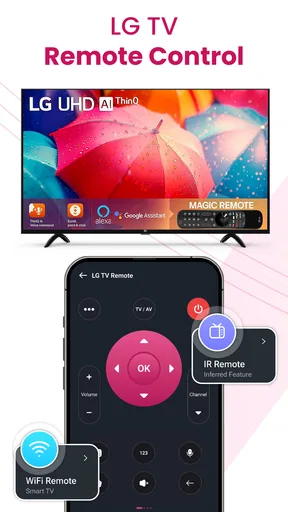
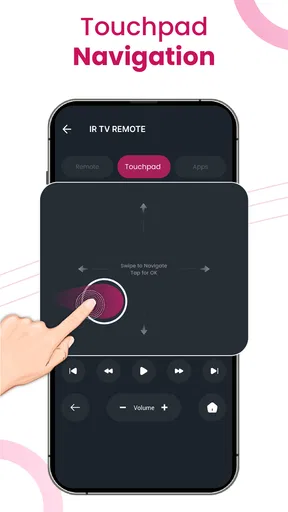
One of my favorite features is the intuitive interface. The app mimics a traditional remote control layout, so there's no learning curve. You have all the essential buttons right at your fingertips, from volume control to channel navigation. Plus, there's a handy touchpad feature that allows you to swipe through menus effortlessly.
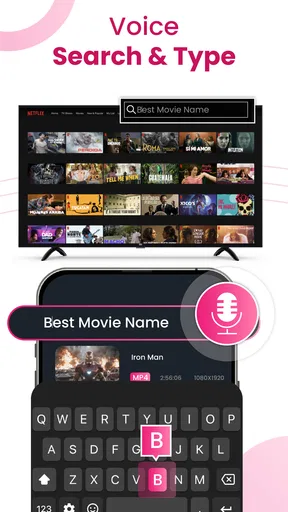
Another awesome feature is the voice command capability. Yes, you can now talk to your TV through your phone! Simply tap the microphone icon and tell your TV what to do. Whether it’s changing the channel, adjusting the volume, or launching your favorite app, it responds almost instantly.
Why You'll Love It
I can't tell you how convenient it is to have the LG TV Remote Control app on my phone. For one, I never have to worry about losing the remote again. And let's be honest, who doesn't have their phone within arm’s reach these days? It's also perfect for those moments when you're too comfy on the couch to get up and find the remote.
The app also supports multiple TV connections. If you have more than one LG TV at home, you can control all of them from a single device. Just switch between TVs with a quick tap. It's a real time-saver and keeps my household running smoothly.
Performance and Reliability
In terms of performance, the app is pretty solid. I haven't experienced any significant lag or connectivity issues. The only time it gets a bit glitchy is when my Wi-Fi acts up, but that's more of an internet issue than an app fault. The developers seem to be on top of updates, which is reassuring for future reliability.
Room for Improvement
While the LG TV Remote Control app is fantastic, there are a couple of areas that could use a little polish. The app's design, while functional, could benefit from a modern facelift. A sleeker, more polished interface would enhance the user experience even more.
Additionally, although the voice command feature is convenient, it sometimes struggles with accents or background noise. Hopefully, future updates will improve its sensitivity and accuracy.
Final Thoughts
All in all, the LG TV Remote Control app is a must-have for any LG TV owner. It's convenient, user-friendly, and packed with features that make TV watching a seamless experience. Whether you're tech-savvy or not, this app brings a new level of convenience to your living room.
If you're tired of hunting for your remote or just want to elevate your TV experience, give this app a try. It's like having a universal remote right on your smartphone, and trust me, once you start using it, you'll wonder how you ever lived without it.
Verdict
Strengths of LG TV Remote Control app
- Intuitive interface for easy navigation.
- Seamless connectivity with LG TVs.
- Customizable remote layout options.
- Compatible with multiple LG TV models.
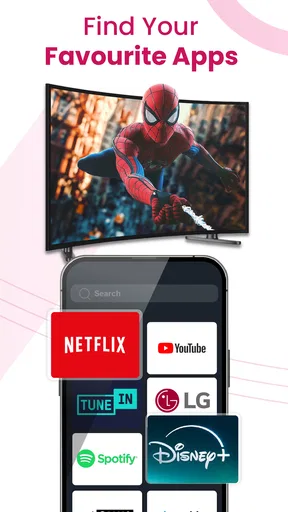
- Quick access to favorite apps and channels.
Limitations of LG TV Remote Control app
- Requires stable Wi-Fi connection.
- Limited functionality on older LG TVs.
- Ads may disrupt the user experience.
- May not support all smart TV features.
- Initial setup can be slightly complex.
Similar Picks in This Category
View All
Universal TV Remote Control
CodeMatics Media Solutions3.9

AlfredCamera Home Security app
Alfred Systems Inc.4.7

Planner 5D: AI Home Design
Planner 5D4.5

Universal Tv Remote-Cast to TV
One Music Player4.1

Zillow: Homes for Sale & Rent
Zillow Group4.8

99acres Buy/Rent/Sell Property
infoedge.com4.3
Frequently Asked Questions
What features does the LG TV Remote Control app offer?
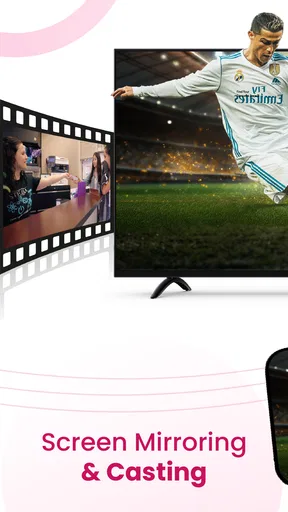
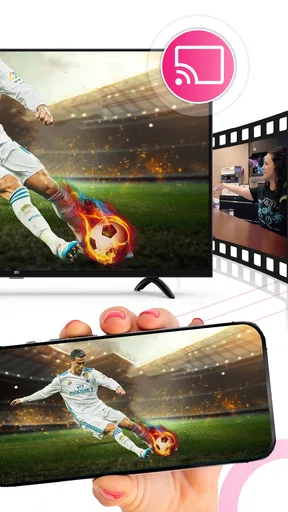
The LG TV Remote Control app provides users with the ability to control their LG smart TVs using their mobile devices. It features a virtual remote interface with options for volume control, channel navigation, and input selection. Additionally, it supports voice commands, keyboard input, and screen mirroring for a seamless user experience.
Is the LG TV Remote Control app compatible with all LG TV models?
The app is compatible with most LG smart TVs, especially those manufactured in recent years. However, compatibility may vary depending on the TV's model and software version. It's recommended to check the app’s description in the app store or LG's official website to ensure your TV model is supported.
Do I need an internet connection to use the LG TV Remote Control app?
An internet connection is required for initial setup and certain features such as voice commands and screen mirroring. However, basic remote functions like changing channels or adjusting volume can be performed over a local Wi-Fi network without an active internet connection. Ensure both the TV and mobile device are on the same network.
Are there any costs associated with the LG TV Remote Control app?
The LG TV Remote Control app is free to download and use for basic remote functions. However, some advanced features may require in-app purchases. There may also be ads within the app that could be removed through a purchase, so users should review the app store listing for detailed pricing information.
What should I do if the app isn't connecting to my LG TV?
If the app isn't connecting, first ensure both your TV and mobile device are connected to the same Wi-Fi network. Restart both devices and try again. Additionally, check for any software updates for the app or your TV. If issues persist, consult the app's support page or contact LG customer service for further assistance.
